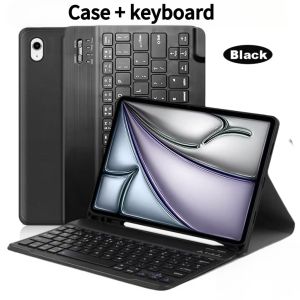
Case For iPad Air 11-inch (M4)For iPad Air 11-inch (A3459 A3460 A3463) Detachable Keyboard Case with Pen Holder
The tablet case in this link is only compatible with models:iPad Air 11-inch (M4)2026(Model:A3459/A3460/A3463)How to verify tablet model1. Go to the back and find your specific model.2. Find "Settings" - Click "About" - Find "Model"3. Please purchase the correct compatible model case according to the tablet after viewing.Note:The digital tablet and stylus are not included in the package. The detailed description is for reference only. Please refer to the actual product for the color of the product.\How to connect keyboard and mouse?1. Connect the mouse first, then the keyboard.2. Mouse: Push the switch to the "Bluetooth" icon and find the Bluetooth connection with the "mouse" in the device Bluetooth list.3. Keyboard: Push the switch in the upper right corner to "ON", press "Connect", and find the Bluetooth connection with "Keyboard" in the device Bluetooth list.4. Touchpad keyboard: Open the keyboard, press Fn+C, and then find the Bluetooth connection with "Keyboard" in the device Bluetooth list.FAQQ:What should I pay attention to when connecting the mouse for the first time?A:When the mouse is connected for the first time, you need to press the left button, the right button and the scroll wheel at the same time for about 3-5 seconds.Q: Is the scroll direction of the mouse USB connector and Bluetooth connection the same?A: No, they are different. When using the USB connector, the scroll wheel slides in the same direction as the computer mouse. Bluetooth connection is the opposite.Q: How to switch between different systems?A: Fn+Q=Android, Fn+W=Windows, Fn+E=IOS.Please note that please switch the system before connecting the tablet.Q:The bluetooth keyboard letters are messy?A: Please check the settings according to the prompts,a. Check whether the keyboard language set on the device is English.b. Disconnect the keyboard Bluetooth, click Ignore the connected device, reopen the Bluetooth keyboard, select system, Fn+E (IOS system).Note: Fn+Q=Android, Fn+W=Windows, Fn+E=IOSc. Press the L S Z buttons at the same time to reset the keyboardQ:How to configure the input method for different languages keyboard?A:Take the samsung tablet as example,open "Settings--"ystem"--"Language & input"--"Add New Keyboard". (For other systems, please set them in the system settings according to the tips of the iPad example.)Q:How does the mouse change teh scroll wheel sliding direction on the device?A: The mouse is connected, open "General" - "Trackpad & Mouse" - close "Natural Scrolling".

GlobalTechMart
Review

You May Also Like
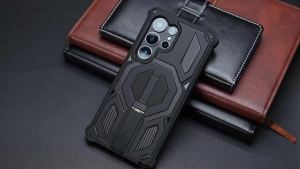
Magnetic Military Armor Case for Magsafe Samsung Galaxy S26 Ultra S25 Fe S24 Plus A56 A16 A57 5g S26+ Mac Safe Metal Stand Cover
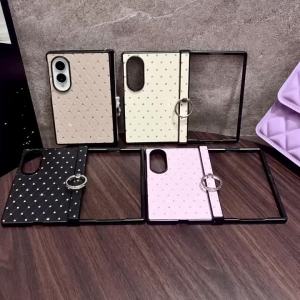
Luxury Bling Glitter Rhombus Lattice PU Leather Phone Case for Samsung Galaxy Z Fold 8 Ultra Hinge Protection Shockproof Cover

SFHDF Expandable Air Conditioner Windshield Adjustable Anti Direct Blowing Scalable Air Guide Plate Durable Silent Air Diverter Cover Cold Environment

Viltrox DC-V1 5.5" Touchscreen HD On-Camera Monitor
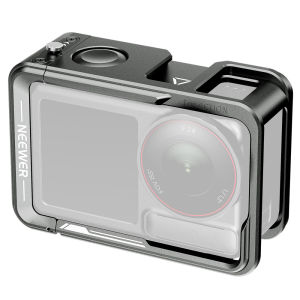
NEEWER Camera Cage for Action 5 Pro/4/3 Protective Metal Video Rig for DJI Osmo Action Camera AC014
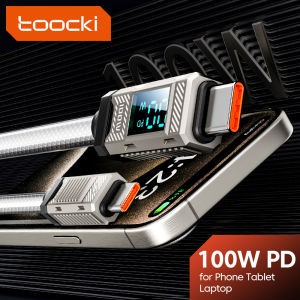
Toocki 100W Type C To Type C LED Digital Displaying Cable Quick Charging Data Wires For Phone Zinc Alloy Type C lOS Cable
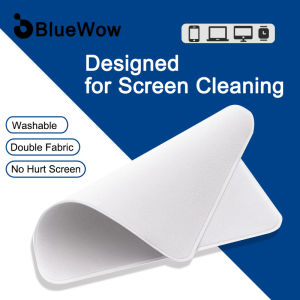
BlueWow FA-008 Phone Screen Cleaner Portable Tablet Mobile PC Screen Cleaning Cloth Microfiber Cleaning Cloth

50M 1080P HDMI-Compatible Wireless Transmitter and Receiver Wireless Video TV Stick Display Extender For Camera Laptop PC to TV
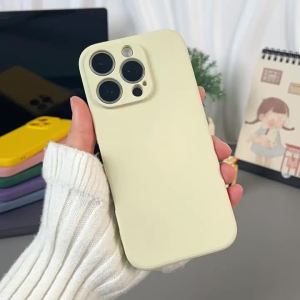
imobile | Full Body Anti-Drop Silicone Case for OPPO Reno12/Reno12 Pro
CPU Postfix Adapter Corona V3 V4 PCB Board Repair Mod Parts Compatible For Xbox 360 Console Motherboard
![[NC]Universal Basic Infrared Remote Control Stepless Dimmer LED Fan Lamp Living Ceiling Room For Light Wireless[NC]](https://img.lazcdn.com/g/ff/kf/S37a2628f26164914bc7ca8065d59e187x.jpg_300x300q80.jpg)
[NC]Universal Basic Infrared Remote Control Stepless Dimmer LED Fan Lamp Living Ceiling Room For Light Wireless[NC]