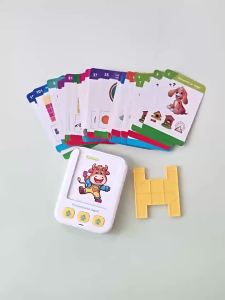
Smart AI Kids Printer with HD Screen - Voice Activated Thermal Printer for Labels & Creative Drawing
Unboxing Check1 x HZTZ AI Mini Printer1 x Type-C Charging Cable1 x Test Thermal Paper Roll1 x This Quick Start Guide⚠️ MANDATORY SAFETY WARNINGSVIOLATION WILL VOID YOUR WARRANTYBattery SafetyOnly use standard Type-C chargers that meet product specifications to charge the device.Do not disassemble, drop, impact, squeeze or expose the printer to fire or temperatures above 40°C.If the battery swells severely, stop using immediately and contact customer service.Do not charge the printer unattended for long periods.General SafetyThis device does NOT support 5G WiFi networks. Only 2.4G WiFi is compatible.Keep the printer away from water, moisture and dust to avoid short circuits.Do not insert sharp objects into the paper outlet or charging port.The print head may become warm during long printing sessions. Do not touch directly to avoid burns.Regulatory ComplianceThis device complies with FCC Rules and IC standards. Operation is subject to two conditions:This device may not cause harmful interferenceThis device must accept any interference received Core Product FeaturesAI voice control: Press to talk, AI automatically generates and prints contentInkless thermal printing: No ink or ribbon needed, clean and cost-effectiveDual paper support: Works with standard thermal paper and self-adhesive label paperHD display screen: Clear operation interface and status promptsBuilt-in loudspeaker: Voice feedback for all operationsSharp black-and-white printing quality 3-STEP QUICK SETUP & PRINTINGStep 1: Connect Your DeviceDownload and install the official printer app on your smartphone.Turn on the printer by pressing the power button.Open your phone's WiFi settings and connect to a 2.4G WiFi network (5G WiFi is NOT supported).Open the app and follow the on-screen instructions to pair the printer.Step 2: Create or Load ContentVoice creation: Press the "Press to talk" button on the screen, speak clearly, and AI will generate your content.Manual creation: Use the app to type text, draw doodles, upload photos or select built-in templates.Load existing content: Import images, notes or documents from your phone's gallery.Step 3: Instant Inkless PrintingAfter editing your content, tap the print button in the app or on the printer.The printer will automatically feed paper and print instantly.Tear off the printed paper along the serrated edge of the paper outlet. How to Load PaperMOST COMMON MISTAKE: Paper loaded upside down causes blank printsOpen the paper compartment cover on the top of the printer.Unroll about 5cm of paper from the roll.Place the paper roll with the smooth, shiny side facing the print head (this is the printable side).Pull the paper end through the outlet, making sure it is straight and not wrinkled.Close the cover firmly until it clicks into place.Press the feed button to test if paper feeds correctly. Simple MaintenanceClean the print head and paper path regularly with a dry cotton swab to remove dust and paper scraps.Do not use water, alcohol or any liquid cleaners on the printer.Store the printer in a cool, dry place when not in use for long periods.Use only high-quality thermal paper to ensure print quality and extend printer life.❗ Common Troubleshooting GuideCannot Connect to WiFiPossible causes: Using 5G WiFi; incorrect password; printer too far from router.Solutions: Switch to 2.4G WiFi; double-check the password; move within 10 meters of the router.Blank PrintsPossible causes: Paper loaded upside down; paper roll empty; print head dirty.Solutions: Flip the paper roll so the shiny side faces the print head; replace with new paper; clean the print head.Fuzzy or Blurry PrintsPossible causes: Low-quality paper; print head dirty; low battery.Solutions: Use high-quality thermal paper; clean the print head; charge the printer fully.AI Voice Control Not WorkingPossible causes: No network connection; voice not clear; app permissions not enabled.Solutions: Check your network connection; speak clearly and slowly; ensure the app has microphone permission.

Prime Supply_Play Life
Review

You May Also Like

[SG Stock] Bambu Lab PLA Basic Filament

Bambu Lab H2S Large Format 3D Printer Your Personal Manufacturing Hub High-Speed CoreXY AMS Compatible Perfect for Business

Marklife | 1080P Children Digital Camera Instant Print for Kids Thermal Print Camera Instant Photo Printing Camera Video For Kids Gift
Myriwell RP300B Upgrade 2.0 Low Temperature 3D Pen with Multi-Color PCL Filament Perfect New Year & Christmas Gift for Kids
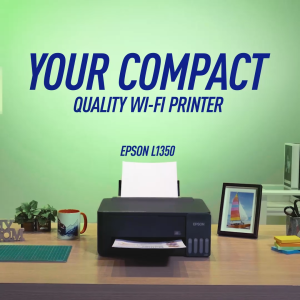
(New) Epson EcoTank L1350 Ink Tank Printer | WiFi & Mobile Printing | Low Cost Per Print | 5760 dpi | Borderless Printing | Replacement for L1250

Bambu Lab H2D 3D Printer Dual-nozzle Multi-material 3D Printing Closed-loop Servo Extruder Personal Manufacturing
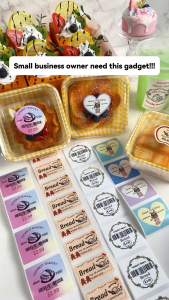
NIIMBOT B2 Bluetooth Portable Mini Label Printer for Name Label Sticker Food Stickers Switch Stickers Kitchen Sticker Printer

Symcode Laser Barcode Scanner | SC-2500 Bluetooth Plug and Play Compatible with Phone
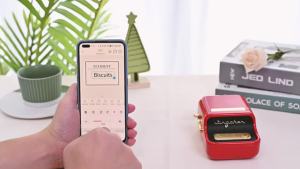
Niimbot | 300dpi Niimbot B21 Pro Label Printer Wireless Printer 20-50mm Print Width for Photos Receipts Notes Coffee Grocery Business Use

Phomemo 249BT Thermal Air waybill Printer Usb+Bluetooth A6 Inkless Shipping Label Printer Great For BarcodeQRAddressLogo Sticker

Authentic DYMO LetraTag LT-100H Plus Label Printer Handheld for Office School or Home Label Maker