Anmite | Anmite 16-Inch Portable Touch Monitor Non-touch Optional 1200P HDR 16:10 For XBox PS4 / 5 Switch Cell Phone PC Loptop Extension
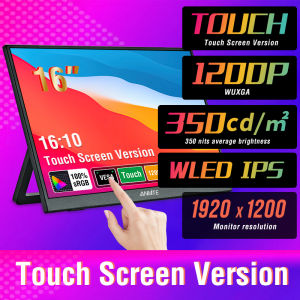
modname=ckeditorANMITE - New 16-inch touch/non-touch portable monitorNew 16-inch TFT monitor, 60Hz high frame rate, 19201200 high resolution, HDR support; 100% sRGB TFT screen, 178° viewing angle, 350nit brightness, brighter, clearer, more natural colors, bringing more vivid visual enjoyment.Excellent innovation 60Hz portable screen, 8-bit color depth, smoother and more delicate color transition, richer and brighter colors, more accurate restoration of the true color of objects. The higher the number of bits, the more uniform the color transition.There are two ways to achieve touch. The first is to connect a laptop or PDA directly to a machine with a full-featured TypeC interface, rather than to a device with a full-featured TypeC interface. The second is to connect to a desktop or laptop with an HDMI interface. This computer only supports touch devices with an HDMI interface, just connect the touch cable to the USB port of the device. (Note: The touch function can only be used if you purchase the touch version).Built-in Mini HDMI interface, tested for more than 3000 plug-in and unplug tests. Type-C interface provides fast and stable data transmission.Size: 16 inchesTouch: You can choose touch version or non-touch version when purchasing, please choose carefully to avoid purchasing errorsColor: BlackRefresh rate: 60HZBrightness: 350cd/m²Screen ratio: 16:10Color gamut: 100% sRGBScreen resolution: 19201200Sound effect: built-in dual speakersStand: built-in detachable standPackaging accessories:Portable monitor1HDMI cable1Type-C cable1USB to TPYE power data cable1Monitor FAQ - Common TroubleshootingQ: The screen displays "blue no signal"A: If you use a mobile phone to connect, you need to check whether the phone supports USB3.1 version output, whether it supports DisplayPort alternative mode (DP Alt Mode), and whether it supports MHL protocol mode. If not, it may be incompatible. You can use some converters for compatibility, such as: HD adapter cable. If not, it will display a blue no signal state. Please add a Mini HDMI to HDMI cable for signal transmission. If you use HDMI connection, you need to check whether your graphics card is connected correctly. As long as it displays blue no signal, it proves that there is no problem with the monitor, but there is no signal input. If there is a discrete graphics card, you must connect the discrete graphics card.Q: Do I need to connect the power supply when using it?A: The laptop uses a TPYE-C connection cable and does not need to be connected to the power supply. If the power supply is insufficient, the screen will flicker and USB power supply is required. If you use HDMI connection, you must use USB power supply. If the screen flickers, it may be insufficient power supply.Q: What is the reason for the screen flickering?A: The screen flickering is caused by insufficient output or power supply of your device. It is recommended to use a 30W or higher PD power supply.Q: Does it support vertical screen:A: The monitor itself does not have the vertical screen function, so it does not support vertical screen. These functions can only be set on the mobile phone. The monitor only provides display functions. Unless you set the mobile phone to computer mode or set the vertical screen on the computer, the monitor itself does not support vertical screen.Q: Does it support touch function?A: This product has two models: touch version and non-touch version. There is a difference between the touch version and the non-touch version. Please choose the corresponding model to place an order according to your needs to avoid purchasing the wrong model.Q: My monitor cannot turn on.A: Please check whether the monitor and your device are in power-on mode. Make sure the cable is connected correctly. Connect other available devices or cables to check.If you use the USB-C interface connection: You can use the USB-C cable to achieve power supply and signal transmission (one line for two purposes, also known as one line pass) and get power directly from the laptop. If you use the HDMI interface connection, you must use a two-wire connection solution. The HDMI cable is only responsible for video signal transmission. You need an additional power supply solution. You can choose one of the following methods:A1: Powered by a power adapter connected to the socket (30W and above PD power is recommended)A2: Powered from the computer USB through a separate USB cable (If the computer USB power supply is insufficient, it may cause false alarms such as insufficient brightness, flickering, black screen, etc. It is recommended to use a 30W and above PD power supply).Q: Why is my screen flickering?A: Please check if the connection is loose. If there is no problem with the connection, the screen flickering is caused by insufficient output of your device or power supply. It is recommended to use a 30W or higher PD power supply. Please connect the adapter and use it again, or try to replace a new cable and device.Q: Why does the monitor make an electric current sound or a rustling sound?A: Please confirm the source of the noise. If it is a connection noise, please re-plug the interface or replace a new cable. If it is the sound of the adapter or speaker, it may be due to the quality problem of the power adapter.Q: Why is my touch screen not working?A1: When purchasing, please make sure you choose whether the purchase supports touch function.A2: Check the connection: For laptops/desktops, connect both the HDMI and touch cables (included). For USB-C interfaces, your port must support Type-C 3.1+/Thunderbolt 3.A3: Mobile phone compatibility: Supports direct screen projection, but may not support touch in desktop/extended mode.A4: Best practice: Always connect: √HDMI cable, √ power cable, √ touch cableA5: Computer system compatibility: Supports direct screen projection, or setting the touch screen as the main screen may not allow accurate touch, or support touch in secondary or extended mode.Q: Does this computer monitor support VESA wall mounting?A: Supports VESA wall mountingQ: Are there speakers?A: Yes, with built-in speakers.Q: Does it support Apple phones?A: Basically not. However, after testing, the iPhone 15 PRO can project the screen, but does not support vertical screen and touch functions.

Prime Supply_Play Life
Review

You May Also Like
HP P221 21.5" LED VA Monitor – Sharp Display. Smooth Performance. Everyday Read
【ASUS Official Warranty】2026 ASUS Tianxuan 6Pro Gaming Laptop /Intel Core Ultra5 235HX/RTX5060/16inch 2.5K 165Hz OLED Screen/Tianxuan 6 Pro Core Edition/ASUS TUF Laptop
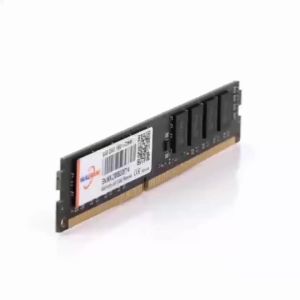
Walram | Walram Memoria RAM DDR4 2666MHz 8GB Desktop RAM DDR3 1600MHz 4GB 1.5V 1.2V DDR4 8GB Udimm DIMM Internal Computer Memory For PC
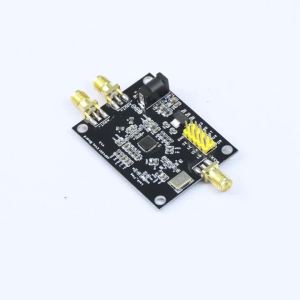
ADF4351 Development Board 35MHz–4.4GHz RF Signal Generator Module RF Signal Source Module Supporting Three-Wire SPI Control
Fenvi | FENVI Extended Base Antenna High Gain Dual Band 2.4G/5Ghz For AX210 AX200 9260 WiFi Card Desktop PCIe Adapter Wireless Router AP

UPSIREN LMTG-100 Liquid metal microcapsules thermal grease Non-conductive Liquid metal 100W/Mk Easy to apply high performance
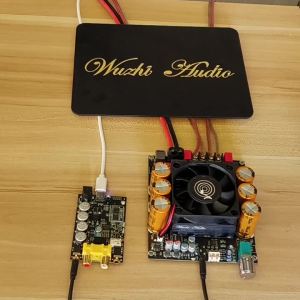
diymore | ZK-6001 TPA3225 active subwoofer pure post amplifier board low-pass filtering mono 600W frequency volume adjustment DC18-50V
HONOR MagicBook Art 14 2025 Ultra 7 255H / Ultra 5 225H 1.03kg 14.6“ 3.1K OLED Touch Screen Thin and light Laptop
【ASUS Local Warranty】ASUS ROG Zephyrus G16 Air Gaming Laptop 2025/Intel Core Ultra9 285H RTX5080/RTX5070Ti/RTX5060 | 16"inchs 2.8K 240Hz OLED Nebula Screen | ROG Gaming Laptop | ASUS Laptop/ROG幻16 Air
Anmite | Anmite 18.5inch Portable Monitor 120Hz RGB100% With VESA Hole & Back Bracket Laptop Extended Display ADS-IPS HDR Screen
Asus Zenbook A14 (Snapdragon® X X1 26 100 Processor /16GB/1TB SSD) 14-Inch Laptop - Beige | Grey (UX3407QA-QD344W) - Open Set