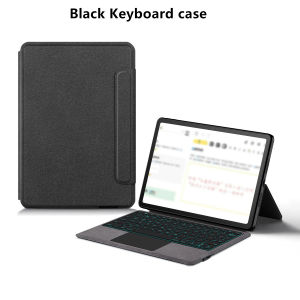
AJIUYU | Touchpad Keyboard For Lenovo Idea Tab 11-inch TB336FU TB336ZU Case Funda for Xiaon Pad 11 inch 2025 Ieda Tab 11 Tablet Cover
This is an "all-in-one" keyboard case, TPU soft shell protective case, which can effectively protect your tablet. The keyboard and protective case cannot be separated .Bluetooth connection, with touch pad, with backlight ,How To Verify Your Tablet Model1.Turn Lenovo tablet to the back find your specific model,Par exemple: TB-****2.Find the "Settings"--Click the "About"--Find the "Model"3.Please select the correct model number for your tablet purchase after viewing it.Applicable Models:For Lenovo Xiaoxin Pad 11 inch 2025 (TB335FC )For Lenovo Idea Tab 11 inch 2025 (TB336FU / TB336ZU)These two models of keyboard covers are universal !!!Please confirm your machine model before purchasing~Attention PleaseEnglish versionkeyboard : There are English letters on the keyboard only.Multi-language versionkeyboard : English letters and carved language letters together .【For example, if you choose French, the keyboard will display English and French letters. Please note that the same letters will not be engraved repeatedly】(Due to the keyboard material, the language characters carved out are dark gray.)(Due to the difference in the number of keyboard keys compared to a normal office keyboard, some special character engraving positions are the same, which is a normal phenomenon)(The keyboard Core defaults to English, and the characters engraved on the keyboard are only a Surface display.so in some countries, even if the input method is switched, the special symbols do not necessarily match the keyboard function layout.(You can hold down the Shift or AI combination)If you mind, please do not purchase)[1]Bluetooth connection method: Turn on the keyboard switch, then press and hold Fn+Z for about 2-3 seconds to start Bluetooth. The indicator light turns blue, and then turn on your tablet Bluetooth. Search for "Bluetooth Keyboard" and click connect to pair. After receiving the keyboard, fully charge it (about 4 hours).【2】Switch language: Open Settings - Language and Input Method - Physical Keyboard - Add Language Layout..【3】Input method switching: control+spacebar.(Choose the language you need)【4】For detailed instructions, please read the user manual. If you have any questions, you can contact "Online Services" for consultation .The resolution of the machine is different, and there may be color differences in the images, which is a normal phenomenon. The actual product received shall prevailNote: Tablet and Pencil are not included in the packaging!!The back bracket needs to be manually opened~~

Prime Supply_Play Life
Review

You May Also Like

Ulanzi BP10 35L Hardshell Backpack Camera Bag
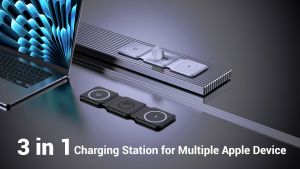
Wireless Charger Magnetic Foldable 3 in 1 Mag-Safe Charger Fast Travel Wireless Charging Station for iPhone 17/15/14/13/12 Seriesfor iWatch AirPods

A2890 A2650 A2889 incell Pantalla For IPhone 14 Pro LCD Display Touch Digitizer Assembly With 3D Touch For IPhone 14 Pro LCD
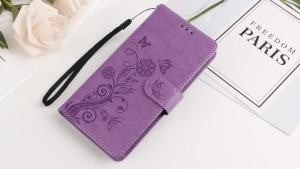
3D Embossed Butterfly Flower Wallet Leather Case for Pixel 11 10A 10 9A 9 8A 8 7A 7 Pro XL 5G Magnetic Phone Flip Book Cover
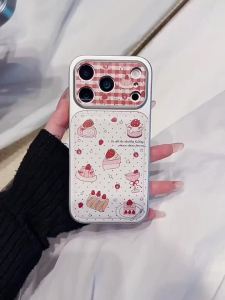
Leather Phone Case For Samsung S26 Ultra S25 Plus S24 FE A56 5G A17 A16 A15 A57 A55 A54 A53 A14 A37 A36 A35 A34 A27 Cherry Cover

SINAIER | Universal Automatic Drain Extension Hose for Washing Machine
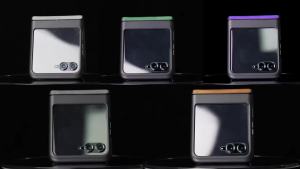
for Motorola Razr 2026/2025/2024 with Hinge Protection Built-in Screen Protector Slim Shockproof Cover Leather Case-Brown
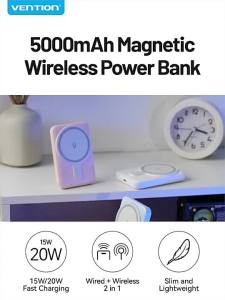
SG 5000mAh FANTASY SERIES 20W PD+QC MAGNETIC WIRELESS CHARGING (IN/OUT-TYPE-C)
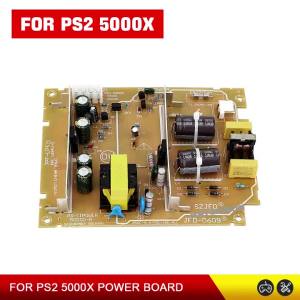
For PS2-35008 Built in Power Board Power Supply Console Board for PS2-50000/50001/50006 Built in Power Console Board
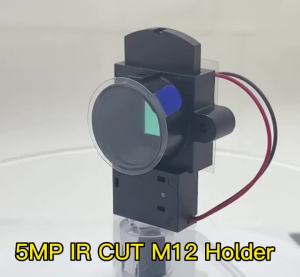
【5Megapixel M12 Pinhole Lens Special IR Cut Filter Dual ICR Double Switcher IR-CUT 20mm Lens Mount Holder For CCTV IP HD Camera】
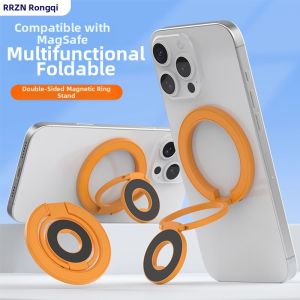
RQZN | Ultra-Thin Magnetic Donut Phone Stand Magsafe Dual-Side Magnetic Support Rotating Multi-Function