1080P HD DashCam for Cars 3/4 Channel WIFI Camera 360° Video Recorder Rear View Camera Car DVR 24H Hardware Kit Car Assecories
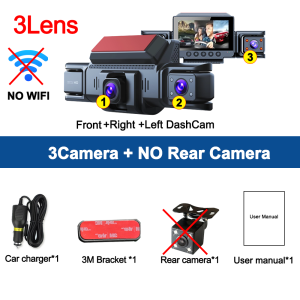
This product is available in three optional configurations:1: 3Camera (NO Rear Camera)2: 3Camera+ Rear Camera3: 3Camera+ Rear Camera+24H Step-down cableplease select the configuration you want when ordering, thank you!3/4 Lens Car DVR 1080P Video Recorder 360° DashCam for Car Night Vision Front left right Rear View camera Car Assecories4Channels 1080P Dash camONLY Front Camera: 1080P;Front &left and right Camera:1080P+720P+720PFront &left and right & Rear Camera: 1080P+720P+720P+720PStarlight Night VisionWith the help of F2.0 wide aperture and the decent low-lightperformance of the lens, the car camera is able to capturedetails like license plates at night.360 ° LENS ROTATION3Inch Camera 360° interior rotatable lens, with no dead angles inside and outside the car, providing panoramic view.Reverse image (Optional)When hanging in the "R" gear, the screen will automatically switch Reverse image, and the accurate inverted auxiliary line provides you with better parking prediction.24-Hour Parking MonitoringFriendly reminder: parking monitoring needs to be configured with a special buck cable for use, otherwise 24-hour monitoring is not possibleFriendly reminder: parking monitoring needs to be configured with a special buck cable for use, otherwise 24-hour monitoring is not possibleBuilt-in G-sensorWhen your car is subjected to an impact or other emergency,the G sensor is triggered, so that the recorder immediately records and locks the video.Loop- Cycle RecordingWhen the TF card is full,it will automatically delete former video and keep recording all the timeInstallation Diagram1.Secure the recorder to the windshield of the vehicle , recommended near the rearview mirror area2.Hide the power cord in the window gap along the red line in the figure above3.Insert the car charge wire into the cigarette lighter, connect the power supply, and complete the installationHow to install 24 hours guard Hardware kit cable (optional):To protect your privacy, the TF card needs to be formatted for the first time. There are two solutions:1. Insert the TF card correctly into the dash cam, open the camera settings, find the storage card format, confirm that the formatting is complete, and then restart the camera to use.2.Connect to the mobile application, search for settings in the mobile application, format the memory card, confirm formatting is complete, and then restart the camera to use it. Sincere wishes to you and your family.

Prime Supply_Play Life
Review

You May Also Like
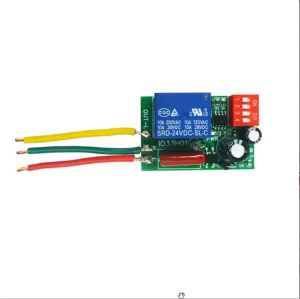
1-480Min IO33H01 Timer Adjustable Disconnect Delay Controller AC 110V 220V Power-ON Delay OFF Relay Timing Switch with 50mm Wire

52TOYS | Y-Yayoi K-Kusama Art Car SunShade Windscreen Front Window Visor 70x130cm Sun Visor Solar Protect Plaid Gift Novelty Car
deli | 6/8/10 Inch Insulated Cable Pliers Cable Cutting Professional Manual Electrician Wire Breakers For Aluminum Copper Cable Cutting
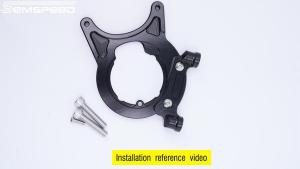
SEMSPEED Motorcycle 84mm/100mm Rear Brake Pump Wheel Axle Caliper Down Adapter Mount For Honda ADV 350 ADV350 2022-2025
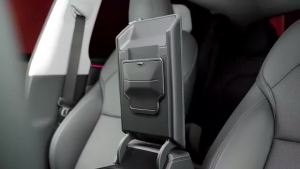
PINMOAP Hidden Center Console Storage Box for 2023-2025 Tesla Refreshed Model 3 Y YL Standard Armrest Organizer Tray Storage
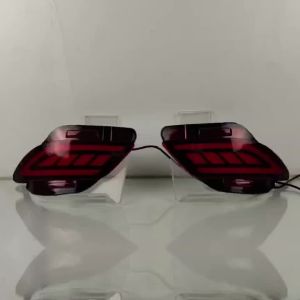
ROMADA | 2 PCS For Car Rear Bumper Light For Lexus RX270 RX350 RX450h 2009 - 2015 LED Indicators Turn Signal Reflector Brake Lamp

Motorcycle Top Top Motorcycle Extra-large stainless steel trunk lock Motorcycle Top
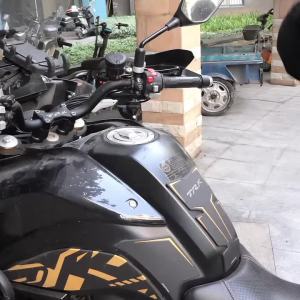
New Universal Motorcycle Tank Bag Gas Oil Fuel Tank Saddlebag Quick Release Strap Mount Bag with Reflective Strap
【🔥SG🔥】RICHMENTMALL Car Seat Headrest Hook Hanger Storage Organizers for Purse Coat Grocery Handbag Back Seat Headrest Grab Handle
Fit For SUZUKI GSXR125 GSX R125 2017-2024 2023 2022 Motorcycle Accessories Adjustable Brake Clutch Lever Handlebar Grips Handlebar Kit

Noise Cancelling Motorbike Earplugs