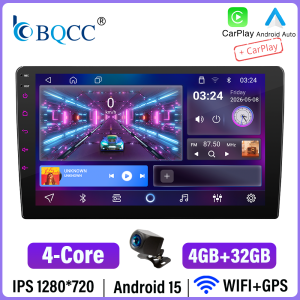
BQCC | BQCC Android 15 9 Universal Car Player WiFi 4G GPS RDS 2.5D Carplay Screen 4GB+64GB For Volkswagen Fiat Hyundai Kia
BQCC Android 15 9'' Universal Car Player WiFi 4G GPS RDS 2.5D Carplay Screen 4GB+64GB For Volkswagen Fiat Hyundai KiaWelcome to my store ! Have a good shopping time !Loving life, loving shopping.100% brand new and high qualit☆ Why choose BQCC?1. Fast DeliveryAfter your payment is verified, our local European and American stores will ship from our local warehouses in the EU and the US within 24 hours. Whether you are in Europe or the US, our delivery service can meet your needs!2. Quality AssuranceAll our products go through strict quality checks before shipping. You can rest assured that the quality is top - notch!3. Caring After - sales ServiceIf your product malfunctions within one year of receipt, don't worry. Just reach out to our 24 - hour customer service team first. Once verified, we'll send you a replacement right away!4. BQCC Brand Introduction: BQCC is one of the top ten brands with more than 2 million fans. In the past ten years, we have served more than 5 million users worldwide and are deeply loved by customers. We are constantly committed to the innovation of car multimedia player radio hardware and software, aiming to bring you a unique and personalized experience. We also continue to update firmware, software, user interface and navigation map. If you encounter any product quality issues, please feel free to send an email to bqcc.cpyu@gmail.com. We will respond promptly and help you!1.Powerful Core PerformanceAndroid 15 OS: Powered by the RK3562 Quad-Core Processor (4×Cortex-A53) with a 2.0GHz clock speed, paired with 4GB RAM (optional 4GB) and 32GB ROM (optional 64GB). It delivers smooth multitasking, fast app launches, and lag-free operation.Clear 9-inch Display: 1280×720 high-resolution touchscreen, offering vivid visuals and responsive control for navigation, media, and settings.Dual-Band Wi-Fi: Supports 2.4GHz/5GHz Wi-Fi for stable internet access, ideal for online maps, music streaming, and FOTA wireless updates.2. Seamless Smartphone IntegrationWired/Wireless Apple CarPlay & Android Auto: Instantly connect your iPhone or Android device to access hands-free calls, navigation, music, and voice commands without picking up your phone.Universal Phone MirrorLink: Compatible with both Android and iOS phones, supporting wired and wireless screen mirroring to display your phone’s apps, videos, and navigation directly on the car stereo.3. In-Car Entertainment SystemBluetooth 5.0: Equipped with a Bluetooth 5.0 chip (default name: SWL-BT) for stable, high-quality hands-free calls and wireless music streaming.RDS FM Radio: Covers FM 87.5~108.0MHz with regional frequency switching (US/Europe/Latin America/China/Japan/South America), supporting RDS for station information display.Precision Positioning: Built-in GPS/BeiDou/Galileo/GLONASS multi-satellite navigation, ensuring fast and accurate positioning even in complex environments like tunnels or urban canyons.Q&AQ1:How do I connect carplay and Android Auto?A: Search for the Bluetooth device ''carplay'' on your mobile phone. When you connect it for the first time, the mobile phone will pop up a prompt, please click to use or trust the device.Q2.:How do I connect a mirror link?A: Before the phone is connected, click on phone Link function of the device, change the automatic connection option under the corresponding phone type to mirror, then connect the phone data cable, and click the corresponding authorization on the phone end to connect.Q3:How do you get the sound through the car horn?A: There are three points about the sound problem:1. Our device comes with a small speaker that can make sound, you can turn it off by setting; 2. Transmit the sound to the original car radio through the FM transmission function of the device (for example, select 86.3MHZ on the device, and then play the U disk music, then search 86.3MHZ on the car radio);3. Use the 3.5mmAUX cable to transmit the audio to the original carplay through the AUX OUT interface of the machine (some models do not support this function, please see the interface description of the product for details).Q4:The Bluetooth connection fails, or some functions are abnormal after connection?A: Please use your mobile phone to search for Bluetooth of the machine, and the name is ''carplay''; Delete the devices that have been paired with but are not connected to the phone. Some Bluetooth devices that have been paired with each other may cause the phone's Bluetooth cannot be paired with other devices or its function is abnormal.Q5:Will Bluetooth connection not automatically connect to car paly or Android auto?A: Some connected Bluetooth devices will cause our device to fail to jump automatically. Please clear all paired Bluetooth devices on the mobile phone, restart the Bluetooth of the mobile phone and the vehicle device, and re-establish the Bluetooth connection.Q6: Playing music and talking on the phone too quietly?A: Hold down the top of the screen with your finger and slide down. You can adjust the playing volume after pulling down the status bar; When you return to the home screen during a call, you can adjust the call volume in the status bar.Q7: Can't read or play SD, USB music and videos?A: Please use 16G or 32G storage card or USB flash drive. Some large-capacity storage devices may not support it. Format the storage device to ensure that the storage device's file system is the default value; Partially encoded video or music may not be recognized by the machine, please use common format media files.

Prime Supply_Play Life
Review

You May Also Like
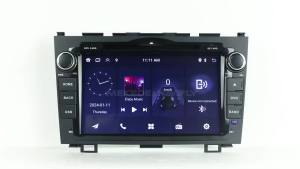
Navifly 7" 2Din Car Radio Android Auto Carplay Car Stereo Multimedia Player Universal WIFI GPS Autoradio Car Intelligent Systems

UNI-T | 16-bit High Resolution Dual Channel Digital Oscilloscope

Rayhong Car Leather Repair Liquid (30ml/50ml) -Repairs scratches and cracks restores shine wear-resistant leather repair glue
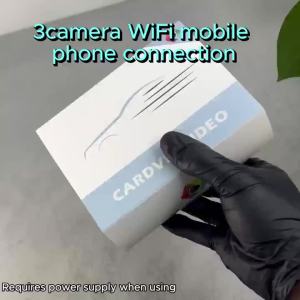
3 Channel WIFI Dash Cam With OBD2 1080P Video Recorder Front Rear Camera Dashcam Black Box Car DVR Optional Rear View Camera

EKLEVA 10pcs Car Solid Wiper Fine Seminoma Wiper Auto Window Cleaning Effervescent tablet Windshield Glass Cleaner
936 Soldering Iron Stand Rework Solder Bracket Welding Tools High Temperature Resistance Electric Soldering Irons Station Metal

NaviFly 9 Android 14 Car Radio Video Player Stereo Wireless Carplay GPS Navigation For VW Volkswagen Caravelle 6 T6 2015-2020
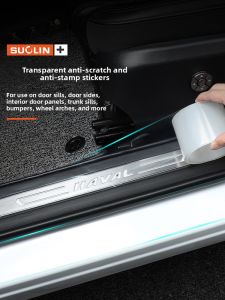
Car Door Threshold Protection Strip Anti-Scratch Decal Protective Strip Anti-Collision Strip Trunk Protection Strip

LS2 | Flip-up Motorcycle Helmet Dual Lens Anti-fog Full-face
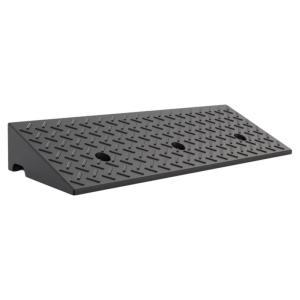
LUKAIQI | Rubber Plastic Car Home Threshold Ramp Wedge

UHD 4K WiFi Dash Cam Dual Lens Driving Recorder Car DVR Optional 1080P Rear Lens Camera Night Vision G-sensor Loop Recording