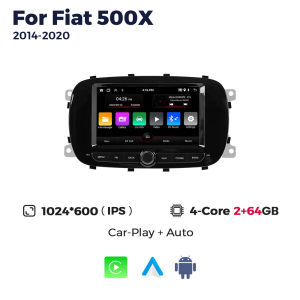
2026 New Android 15 For Fiat 500x 2014 2015 2016 -2020 Car Multimedia Player Carplay Android Auto Car Stereo WIFI GPS Navigation
>>2026 New Android 15 For Fiat 500x 2014 2015 2016 -2020 Car Multimedia Player Carplay Android Auto Car Stereo WIFI GPS Navigation>> Why choose Navifans?1.As a supplier of major global brand,our goal is to keep working hard to make innovative hardware & software of the Car Multimedia player radio to give you that personalized experience. We provide updates for Firmware, Software, UI, GPS Navigation maps for FREE.2.All products have been passed strict quality test before shipment, make sure high quality.3.If the product has a problem within 365 DAYS after receipt confirmation, support for free return and refund within 15 days, or we will replace the new machine directly for you, but please contact us first to communicate.4.Our products have a 1-year warranty period. If we have new software, we will update it at any time to bring you a better experience. If you give 5-star praise, and share the installation photos , after feedback to us Warranty can be extended to 2 years.Accessories:1 x Android Player1 x GPS Antenna1 x Power Harness2 x USB Cable1 x RCA cable1 x Radio Antenna1 x Camera (Optional)If you have any questions, Please feel free to contact us.Built in carplay and android autosupport split screensupport steering wheel controlSupport 1080p video decoder,ture color 24 HD-DisplayPhonebook with name search function and caller name display directly.Incoming calls, dialed calls, missed calls with caller ID.Support BT music streaming.Maps are pre-installed and free permanent updates are providedsupport multiple languagesit supports automatic search and manual search,you can dragthe icon of target station and replace it into channel list.(EU DAB+ is not included)During the driving process, it is found that the car is too close tothe front car or the car will deviate from the lane and will emit anearly warning tone to reduce the occurrence of traffic accidents and make driving safer.When the car in Reverse Gear, this car DVD will automatically switch to the back-up camera image view with park.Real-time monitor vehicle,display the diagnosticvalues of various vehicle. (Database has more than3000 code definitions)(Need to buy separately)Real-time displays 4 tires' pressure and temperature, once the tirepressure or temperature limit is exceeded, alarm will be triggered(Need to buy separately)How to connect rear camera cablePlease do not give us bad reviews and disputes before contacting us. If there are any problems with the product, please contact us first, we will help you solve the problem with 5-star service!FAQ1. Why can't the car radio turn on?① Check the car radio voltage: 12V② When testing this car radio, you can combine the red and yellow wires and connect them to the positive side of the power supply. Black line to negative power supply.③ replaces the same type of insurance to test the car radio.Note: You need to use our power cables to connect our car radio, it is not possible to insert the original car plug directly into our machine.2. Why does the car radio show "no signal" when reversing?Please check if the camera line is properly connected to the car radio.Note: the video port of the rear camera must insert the "CAMIN" port of the car radio.3. Why does the camera show "!" and "I can't see video while driving" when using USB to watch videos?Please turn off the "video warning" function in settings, then it will be ok.4. Why can't I search for FM?① no radio antenna inserted;② Please check if the radio antenna is plugged in. Insert more antennas several times so that it is well contacted.③ the signal of your location is not good. Head to a better place to try again.④ The car radio antenna is broken / no effect; Replace the radio antenna and test again.5. Why can't you connect the Bluetooth of the car radio?① Open the phone settings interface, open the Bluetooth into the Bluetooth function, search for Bluetooth devices, find the Bluetooth model of the player to pair; If you need a pairing code, enter 0000; if not, try 1234 or 123456.② Please try to use another mobile phone to test this function.All the methods are correct and still can't use the Bluetooth. Unplug the plug from the back of the player and plug it in after 3 minutes.

Prime Supply_Play Life
Review

You May Also Like
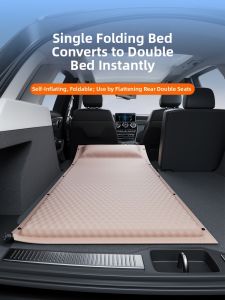
LANGTU | Car Trunk Sleeping Mat Single Inflatable Bed
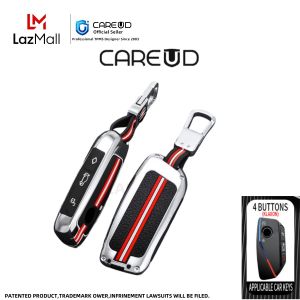
Zinc Alloy Car Key Case Cover for BMW X1 U11 X7 G07 XM G09 i7 7 Series G70 LCI iX I20 U06 G81 M3 Auto Accessaries Key Fob

Motowolf | Rainproof Motorcycle Rain Suit Separate Design
256 Colors LED Air Vents For Audi A3 S3 RS3 8V 8Y 8P 2004-2020 APP Control Car AC Conditioner Turbo Outlet Ambient Light Refit

Car Stereo Radio MP5 Multimedia Player Wireless Carplay Android Auto BT 5.0 AM FM RDS BWC For Fiat 500 2007-2015 Car Head Unit

For BMW F900XR 2020-2026 2PCS Motorcycle Pannier Bags Luggage Saddle Bags Side Storage Fork Travel Pouch Box Motorcycle Side

Manual Hydraulic Crimping Tool 8T Cable Wire Lug Crimping Plier 4 6 10 16 25 35 50 70mm Dies HighVoltage Terminal Hex Pliers Kit
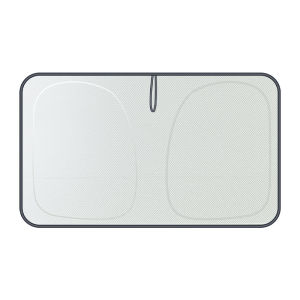
TOKUSET | Sun Protection Thermal Insulation Sunshade for Car Windshield
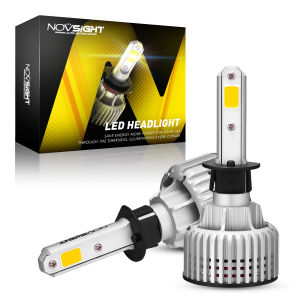
〔Fog Light+Yellow Light〕2pcs Novsight N12Y H1 LED Car Headlight 72W 10000LM 3000K Yellow LED Light Bulb Plug and Play 2 Years Warranty Free Shipping
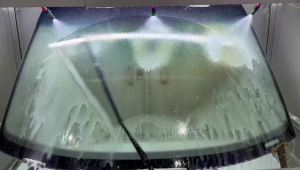
Wiper Suitable For Volkswagen VW Golf 6 VI Variant (2009-2013) Natural Rubber Strip Boneless Silence Windshield Wiper Auto Parts

26"+19" For Tesla Model 3 2017-2023 Car Accessories Front Windscreen Wiper Blade Brushes 2018 2019 2020 2021 2022