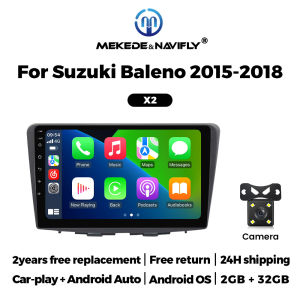
MEKEDE 9 Android Car Multimedia Radio For Suzuki Baleno 2015-2018 GPS Navigation Wireless Carplay Andriod Auto Stereo WIFI
Car Radio For Suzuki Baleno 2015-2018 Support wireless carplay Wireless Android AutoUse your phone in a smarter, safer way while you drive. Get directions, make calls, send and receive messages, and enjoy your favorite music. Siri & Google Assistant can help you do all of these things. All you have to do is ask.Support Steering Wheel ControlYou can use the vehicle's steering wheel buttons to answer and end calls, play music, switch modes and much more, so that you can focus on your driving.Screen Resolution 1024*600the ultra-clear screen dispaly effect is greatly improved,the screen display is more delicate.Support 1080P Videosupport the perfect APE music 3D acceleration allows fluent playback at any section of your usb quaility video.Support BT Funcitonbuilt in smart BT system,can support mobile phone bt pairing,hands-free doaling support steering wheel control listening,accompanying chat to ensure your driving safety.Support FM Radiosupport outomatic search and manual search,you can drag the icon of target station and replace it into channel list.Support GPS NavigationBuilt-in global positioning system,omni-directional map display,synchronous display real-time traffic onditions,rapid and accurate positioning.Support Reversing camera(Attention! Rear view camera is optional, please choose the package with camera to buy)Support ADAS DVR(Attention! ADAS DVR is optional, please choose the package with DVR to buy)Support Multiple LangeuagesSupport Change theme UIFAQ:1.Please note!If the product contains CANBUS, if the steering wheel control does not work, please check whether the operations in the picture below have been performed. If you encounter any questions, please leave us a message in time.Thank you!If you have problems installing the rearview camera, please check the following picture, if you still can't solve the problem, please contact us through the message3. How to connect wireless Carplay and Android Auto?For the first connection, need to turn on the phone's Bluetooth to peer with the car's Bluetooth. After the pairing is successful, the car radio will automatically jump to the R link or AutoLink interface At this time, the phone pop up a prompting message "use CarPlay with ZLink or AutoLink ",click confirm it, Then the CarPlay will be connected

Prime Supply_Play Life
Review

You May Also Like
TESLA | For Tesla 2pcs Car HD Projector Lamp LED Door Welcome Light For Tesla Model S Model Y Model 3 Model X

RYSJM | 20/40Pcs Fender Liner Rivet Expanding Clip Retainer Auto Fender Push Rivet Bumper Trim Fender Liner Fastener Bumper Retainer
PINMOAP Auto Trim Push Retainer Clips 10/20/50/100PCS Nylon Fastener Rivets For Car Bumper Fender Door Panel Interior Fixing

New LED Night Light Valve Cap
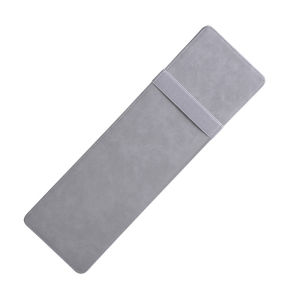
Abu & Mifa | Faux Suede Sun Glare Protection Visor Extension Accessory

Cyril | Retro 3/4 Open-Face Motorcycle Helmet Men Women Lightweight Vintage Jet Helmets for Moto and Electric Scooter Urban Rider
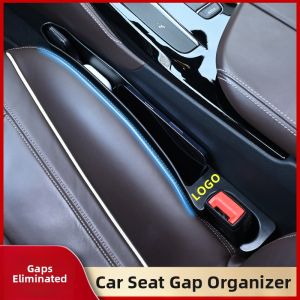
YORLELIE | Gap Filling Anti-drop Storage Car Organizer

4 Inch LED Work Light for Car Motorcycle Headlight Fog Lamp 40W 8000LM Angel Eye Daytime Running Lamp for Off Road SUV UTV Truck
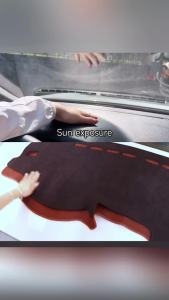
For Toyota Camry XV40 2007 2008 2009 2010 2011 Camry 40 Car Dashboard Cover Dash Sun Shade Mat Non-slip Pad Anti-UV Carpet
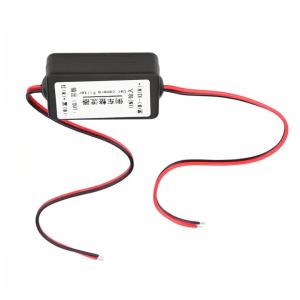
12V Car Rearview Camera Power Relay Capacitor Filter Rectifier Filter Rectifier Rearview Camera Filter Relay Filter Rectifier
Brushless Motor Wireless Handheld Car Vacuum Cleaner Portable Cordless Compressed Air Duster for Car Home Office Pet Hair