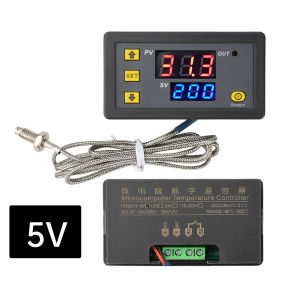
Aideepen | W3230K Type Thermocouple Digital Temperature Controller With 10A Relay -60°C To 500°C LED Display 5V/12V/24V/110-220V
Product features1. High-precision LED display screen: Real-time display of temperature data, clear and intuitive, facilitating precise monitoring2. Ultra-wide temperature measurement range: Supports -60℃ to 500℃, meeting diverse needs for both household and industrial use3. Intelligent temperature control mode: It can switch between heating and cooling control to adapt to temperature adjustment in different scenarios4. Power-off memory function: After a short circuit or power failure, all parameter Settings are automatically saved, and there is no need to reset them when power is restored5. Multi-scenario application: Suitable for various temperature control systems such as household freezers, refrigerators, water tanks, steamers, and industrial chillersProduct parametersInput voltage: DC 5V, 12V, 24V, AC 110-220VTemperature control range: -60 to 500℃Resolution: 0.1℃ (-9.9-99.9) 1℃ (Other ranges)Temperature measurement accuracy :1℃Refresh rate: approximately 0.5 secondsDisplay color: LED red/blueMeasurement input: Threaded M6 type thermocoupleOutput: One 10A relayProduct dimensions: 794326mmOpening size: 74*39mmBefore using it, first understand the function of this K-type thermocouple temperature controller. This product has a total of four buttons: button add, button subtract, SET(setting key), and reset key. There are two sets of digital tubes respectively showing the actual temperature and the set temperature. All parameters will be automatically memorized 5 seconds after they are set.Operation and usage:Red digital tube: Actual temperatureBlue digital tube: Set temperaturePress the plus button to increase the set temperaturePress the button to reduce: Decrease the set temperatureTo restore factory Settings: Press and hold the key plus and key minus simultaneously for more than 5 seconds, and the system will restore the original setting data.Setting key (SET)Press SET briefly to increase the temperature by 50℃ each time. Users can first press SET briefly to quickly set it to near the preset temperature value, and then adjust it to the preset temperature by pressing the key to increase or decrease it.2. Long press SET to enter the parameter setting options, where there are several groups of parameters from P00 to P05 for users to set. After entering the parameter interface, briefly press SET to switch between P00 and P05. Under the corresponding parameters, set the corresponding data by pressing the keys to add or subtract. After the Settings are completed, the system will automatically remember the data and return it to the display interface after 10 seconds.Packaging listTemperature controller *1Thermocouple *1

Prime Supply_Play Life
Review

You May Also Like
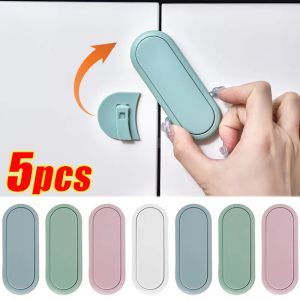
5pcs Invisible Cabinet Door Lock Anti Pinch Manual Protection for Baby Safety

🎉SG Local🎉6Color UV Fluorescent Reflective Tape Self-Adhesive Glow Dark Tape For Party Floor Curtain Home Safety Decor
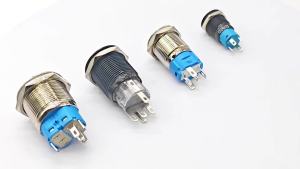
12mm 16mm 19mm 22mm Electronics Pin Foot Led Light Metal Push Button Momentary Switch Waterproof 12v 220v 24v 3v 6v LED Button Switch
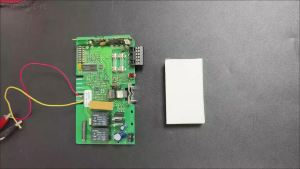
2-1pcs TX03 434 4 XP Garage Remote Control Gate Opener 434MHz Rolling Code 4014 4022 TX02-434-2 Hand Transmitter

【SG SELLER】Drywall Repair Kit(Free Tools) Drywall Putty for Filling Holes 250g Wall Mending Agent Large Hole Drywall Patch Easy to Fill Holes in Home Wall and Quick Repair Crack Plaster Wall Repair handy

Modal Ultra-thin Long Knee Pads Invisible Warm Leg Sleeves for Men Women Summer Air Conditioner Joint Protection Socks

【SG】Magnetic Hooks Powerful Magnetic Hooks Wall-mounted Hanger Hook For Home Kitchen Storage Organization
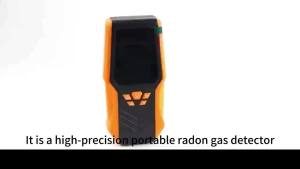
Radon Detector Radon Real Time/Radon Long Term Average/Radon Short Term Average Measurement Range 0-270pCi/L
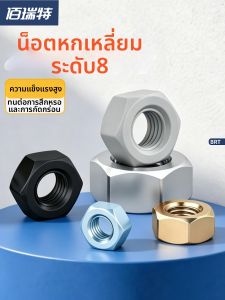
BAIRUITE | Galvanized High Strength Lock Nut
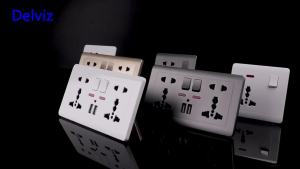
Delviz USB Charging Socket 2.1A Dual USB Port AC 110-250V 13A Wall-mounted Multi-functional USB Power Universal 5 Hole Outlet

Stair Step Ladder Folding Ladder Indoor Step Ladder Foldable Indoor Folding Thickening escopic Mobile Extra Thick 梯子