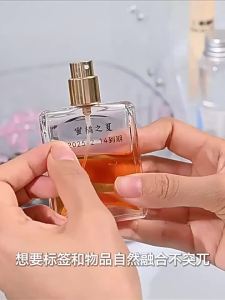
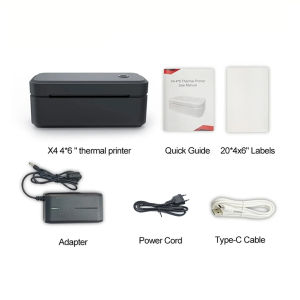
Marklife | Marklife Thermal Printer X4 4x6inch Bluetooth Label Printer Inkless Android&iOS&PC For Shipping Package/Office /Business
【Thermal WirelessLabel Printer】X4 label printer Maker with a Japanese high tech thermal print head, never need ink or toner. label maker machine can print wider paper,Supports printing of gap labels and continuous labels.【Free Powerful App】Marklife app-completely free software, with a variety of built-in functions. 25+ fonts, 1000+ symbol, 20+ borders, etc. support Picture, text, Barcode, QR Code, Excel input and so on.And the software is continuously updated, we accept your better suggestions.【Step Instructions】Step 1: Press and hold the power button for 4 seconds to turn on the printer.Step 2: Search for "Marklife" in the mobile app store and download the application. If using the computer end, please download the driver program according to the instructions in the manual.Step 3: Open the application/driver and search for the connected printers according to the prompts within the program.Or double-click the power button to print the QR code and scan the QR code with the application to connect to the printer. (Note: Do not connect the printer in the Bluetooth Settings of your mobile phone.)Step 4: In the application/driver, select and edit the content to be printed. After confirmation, proceed with the printing.Application download: Search for "Marklife" in the Google Play Store or the Apple App Store, enter the URL to download the driver.【Tips】·If you encounter any problems, you can consult us directly·If you are worried about not being able to use the product properly, you can consult the usage method first·Please use the product correctly in accordance with the methods described in the manual

Prime Supply_Play Life
Review

You May Also Like
Niimbot M2/M3 Silver Label Heat Transfer Print Paper Fixed Asset Sticker Office Equipment Laser Silver Self-adhesive
For HP 963 963XL Combo Ink Cartridge for OfficeJet Pro 9010 9010e 9012 9012e 9014 9014e 9020 9025 9022

NIIMBOT Label Printer B4 4-Inch Portable Thermal Bluetooth Sticker Maker for A6 Shipping Air Waybill

CHG | For HP DeskJet 2700 Ink Cartridge 805XL

Magigoo Bed Adhesive – Original Supergrip PA PC PP PPGF HT Flex & Metal

deli | Bluetooth Portable Printer Clear High-quality Student Use

3D Printing Pen Set High Temperature Digital Display PLA Filament Drawing Graffiti Painting No Warranty

Brother DCP-J1700DW Inkjet Printer (Print Scan Copy) Brother Colour Printer Brother Inkjet Printer Duplex Printer WIFI Printer Smart Printer Smart Cut Inkjet Printer Wireless Printer Brother Home Printer Office Printer Brother
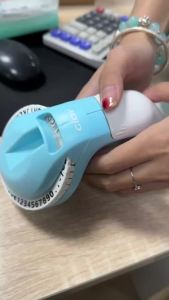
Dymo 12965 Manual Label Printer Omega 3D Embossing Typewriter Organizer Xpress DIY Print 9mm 1610 1540 1880 E5500 Motex Label

Phomemo D30S Portable Thermal Label Printer Handheld Mini Bluetooth Sticker Maker Machine

[GENUINE ORIGINAL] HP CE410XC Black Original LaserJet Toner Cartridge